Kilometa app icon Car logbook app for Australians

Your car logbook, on your iPhone.

Tap Start before you drive and Kilometa records the distance. When tax time comes, export your trips as a PDF or spreadsheet.

Coming soon to theApp Store See features

No account needed · iPhone

Drive

Pick a car and tap Start.

Choose the car and whether the trip is business or private, then start the drive. Your route draws on the map as you go.

On the road

It keeps count as you drive.

Distance, time and speed update live. Lock your phone and it keeps recording in the background.

Arrive

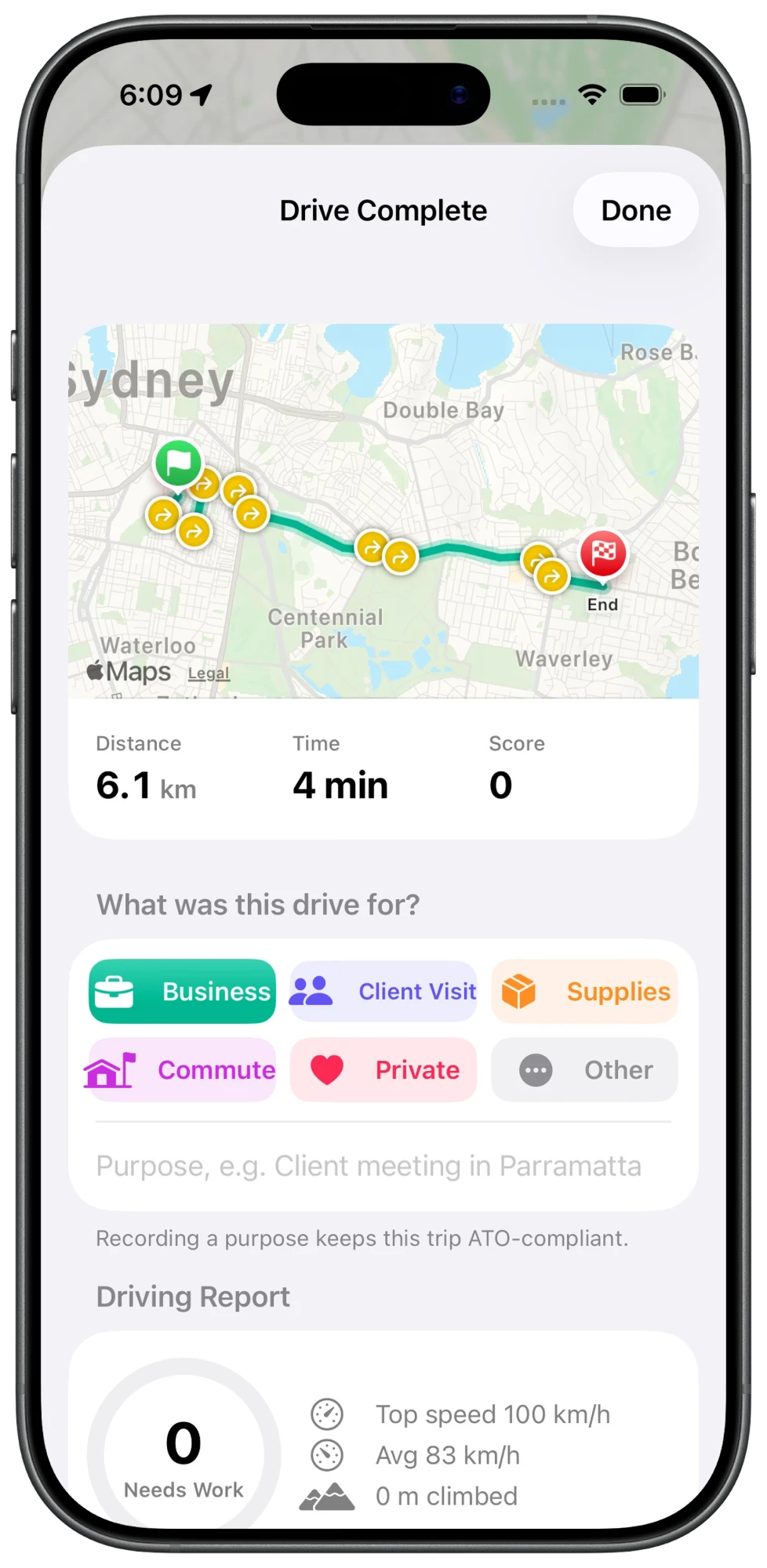
Say what the trip was for.

When you end the drive, pick business, client visit, supplies, commute or private and add a purpose. You get a short driving report too.

Logbook

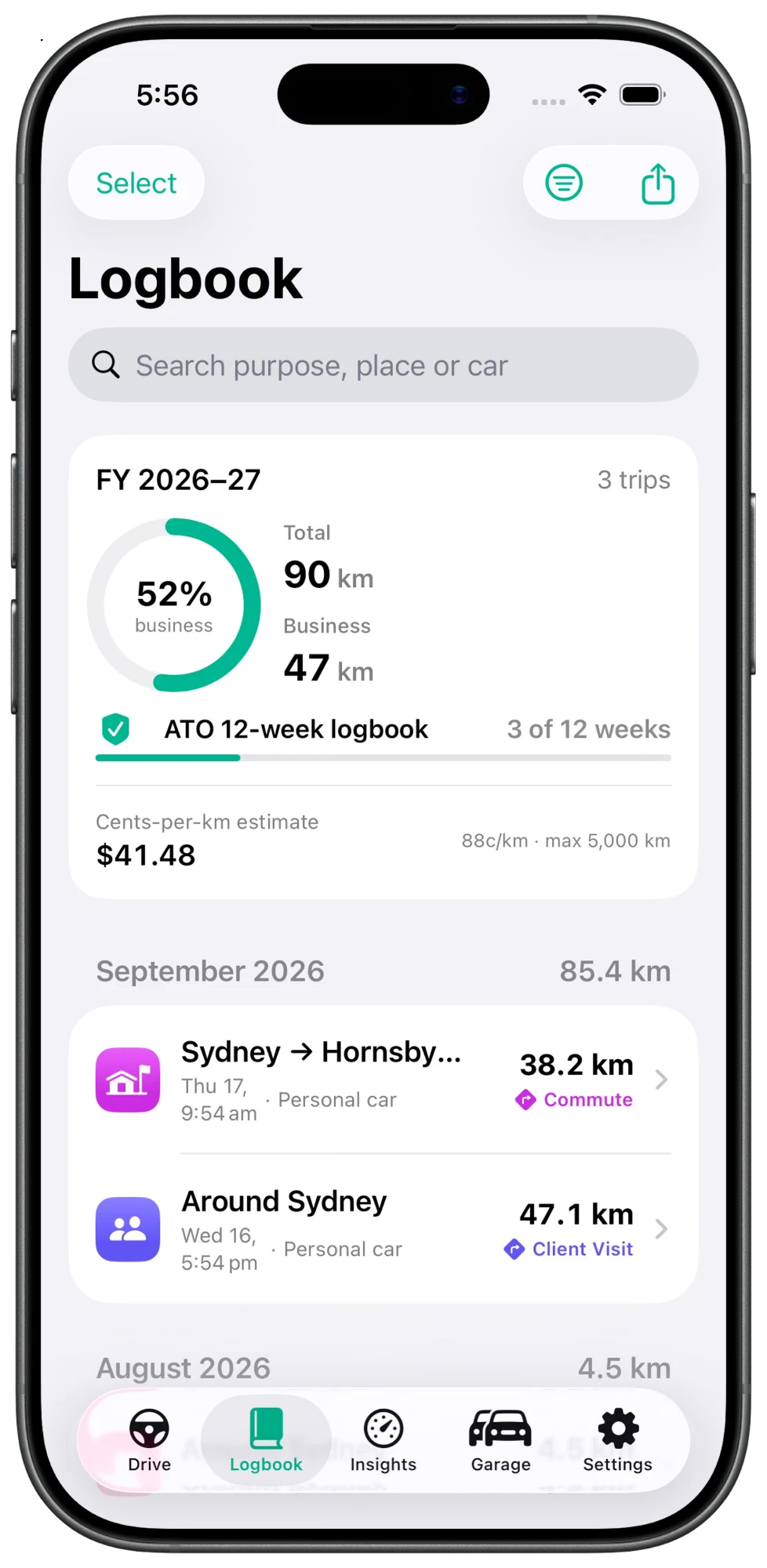
Your trips, sorted.

Trips are grouped by month. You can see your business use percentage and how far you are through a 12 week logbook.

Garage

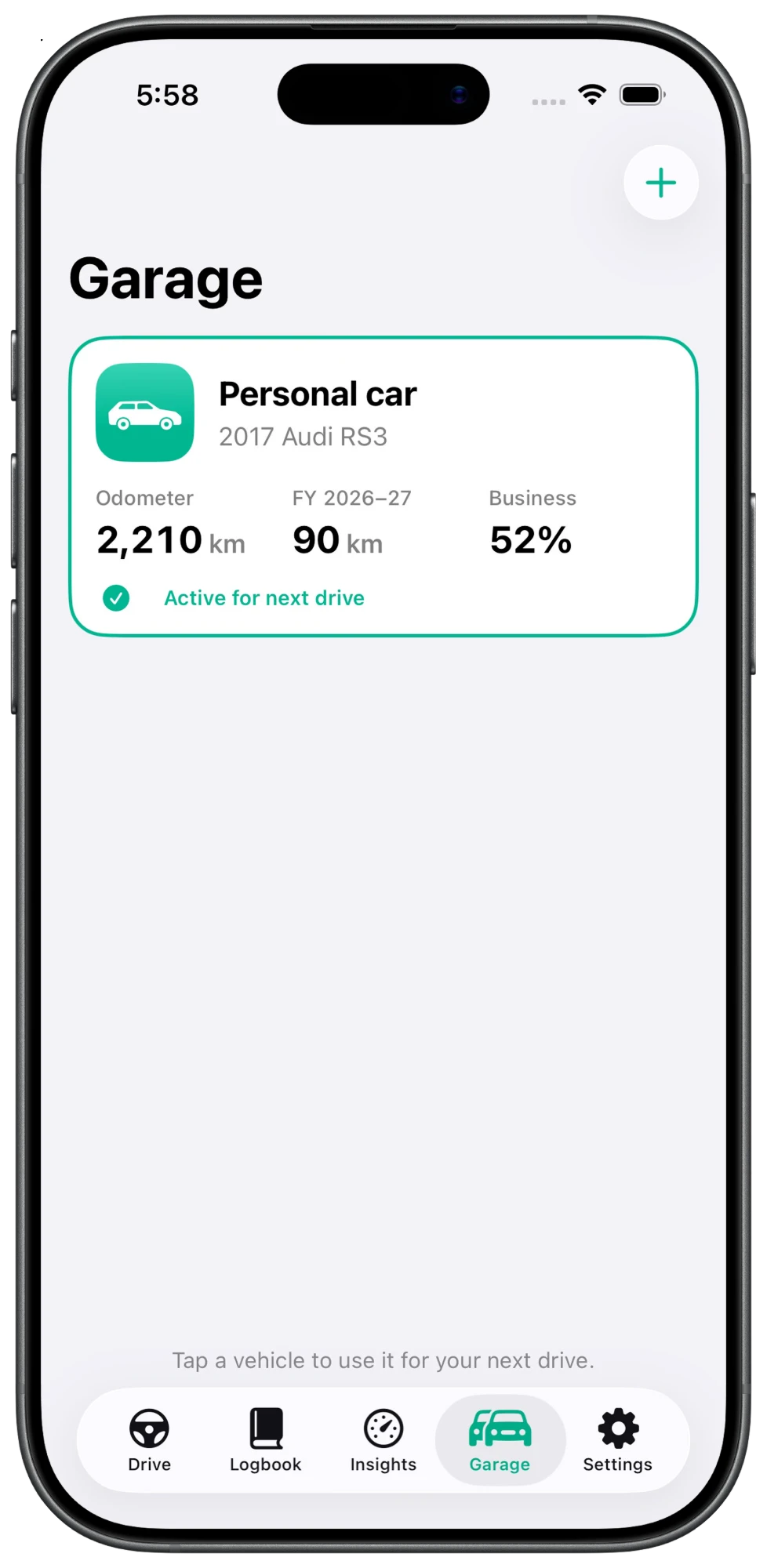
One card for each car.

Add each car you drive. Its odometer, kilometres this financial year and business use are all in one place.
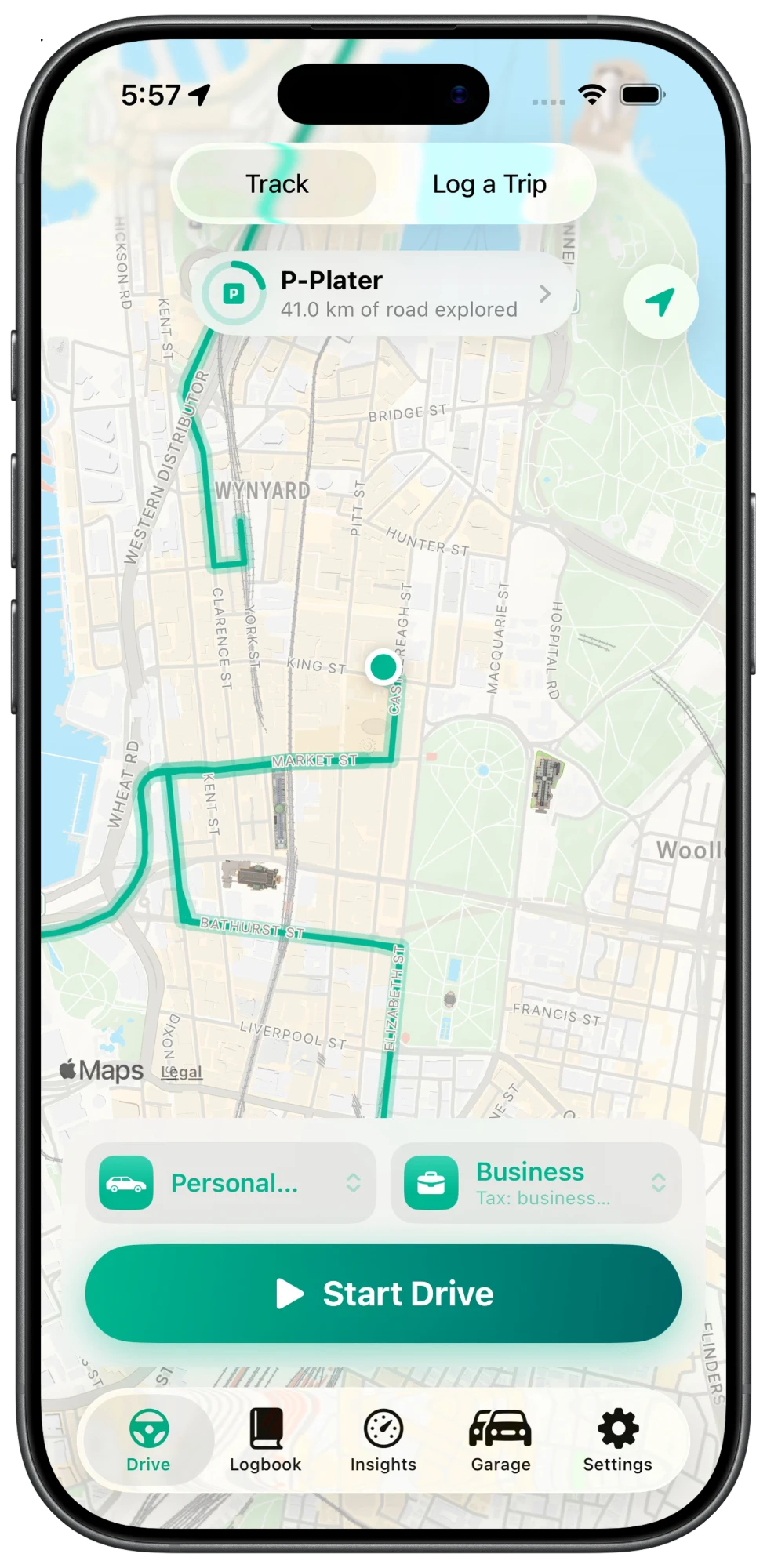
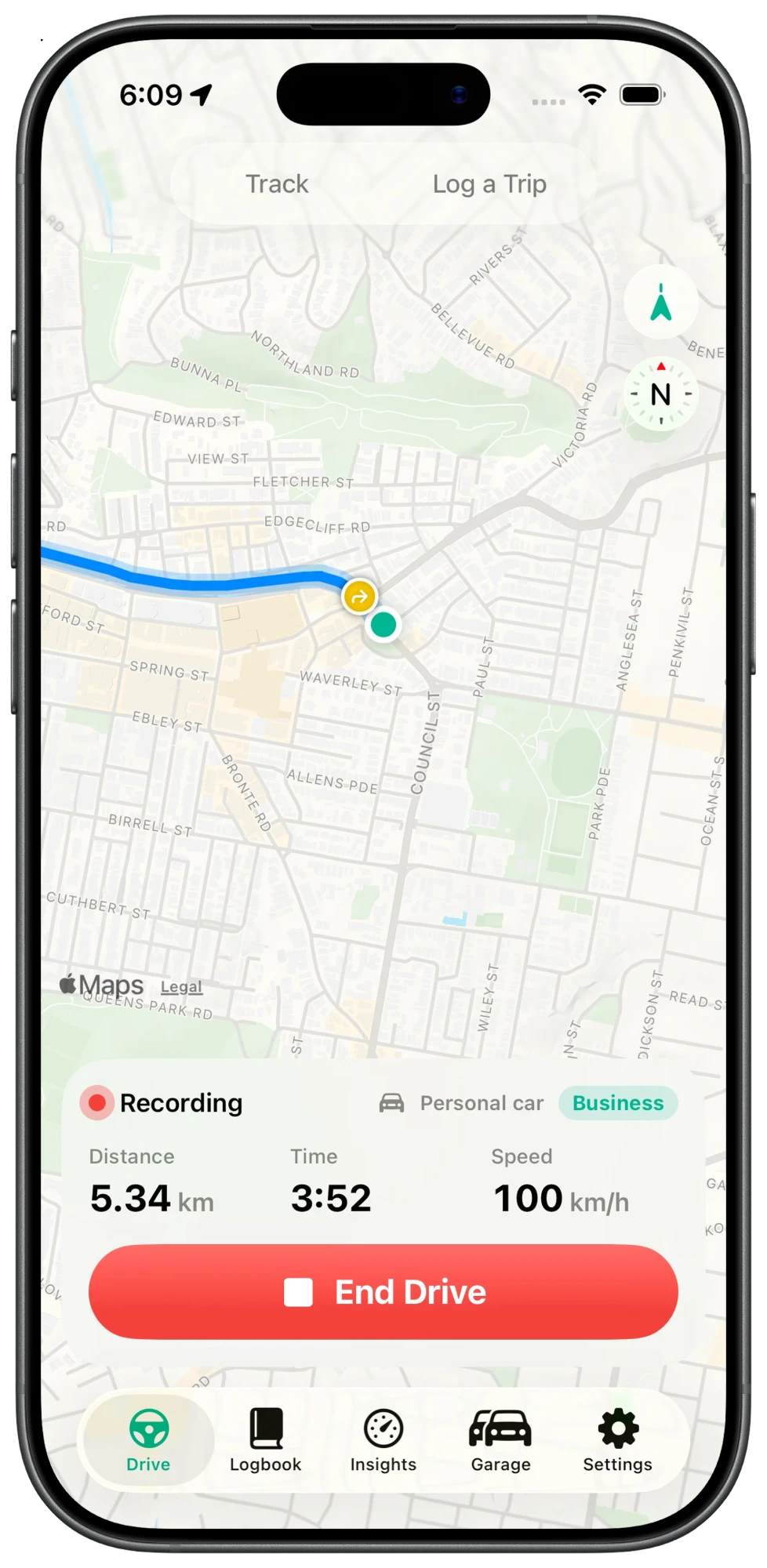
Kilometa Drive screen with a route on the map, car and trip type pickers and a Start Drive button Kilometa recording a drive, showing distance, time and speed with an End Drive button Kilometa Drive Complete screen with the route, distance, time and buttons to choose what the trip was for Kilometa Logbook screen showing 52 percent business use, 3 of 12 weeks done and a list of trips Kilometa Garage screen showing a car with its odometer, kilometres this financial year and business use

Your trips, routes and cars are saved on your iPhone. There's no account to make and no server holding your logbook.

Features

What Kilometa does

Keep your logbook on your phone instead of on paper.

GPS tracking

Start a drive and the app measures the distance and draws your route. It keeps going if your phone is locked or you open Maps.

Business or private

Tag each trip as Business, Client Visit, Supplies, Commute or Private. The app works out your business use percentage.

PDF and CSV export

Export your logbook as a PDF or a spreadsheet. Send it to your accountant or keep it for your records.

Live Activities

Time and distance show on your Lock Screen and in the Dynamic Island. You can end the drive from there.

Add trips later

If you forget to track a trip, search the start and end address and the app gets the distance from Apple Maps. Or type it in yourself.

Driving insights

Each tracked drive gets a score. You can see harsh braking, fast acceleration and the spots where they keep happening.

About

A logbook app for your work kilometres

Kilometa is a car logbook app for Australians who use their car for work. It records the kilometres you drive with GPS and keeps each trip in one place. Each trip has the date, odometer readings, distance and the reason for the trip.

If you claim car expenses with the ATO logbook method, you need to keep a logbook for at least 12 weeks in a row. Kilometa lets you do that on your iPhone instead of in a paper logbook. When you're done, export your trips as a PDF or CSV and send them to your accountant.

It's made for sole traders, contractors, tradies and employees who drive between jobs, visit clients or pick up supplies.

Your drives stay on your iPhone

There's no account and no Kilometa server. Your trips and routes are saved on your phone. Read the privacy policy

More than one car

Add each car you drive in the Garage. Every trip is saved against the car you drove, so your logbook stays separate for each one.

Drive safely. Start and end drives while you're parked, and don't use your phone while driving. Kilometa helps you keep records but it isn't tax advice. Check the ATO's logbook rules or ask your tax agent.

Coming soon to iPhone

Send a question about Kilometa or ask to hear when it's out. I'll usually reply within 2 business days.

Contact me